

One of the worst nightmares an independent music creator, producer and audio engineer could have is to lose access to original audio stems or masters. Undoubtedly, Audiomack serves as a global music hub for Afrobeat, Hip-hop, Amapiano and even dancehall music, but relying on a cloud-based platform to secure your catalogue could be highly risky. You are totally at the mercy of the platform and can accidentally lose everything overnight through unexpected deletions or platform glitches.
Although the platform offers excellent in-app caching for listeners, it locks the files inside an app silo, which inhibits users from accessing their catalogue effortlessly. If you need seamless, accessible media for a professional workflow, having a reliable and dependable Audiomack downloader to pull your files directly into your local storage is the best insurance policy you could trust.
Important Legal Disclaimer: You must own the rights to the song or hold explicit legal authorization from the copyright holder to convert and download any music files locally. Otherwise, you may be violating platform terms of service and intellectual property laws if you convert or download copyrighted media without obtaining permission from the rightful owner.
Key Benefits of Saving Audiomack Audio Directly to Your Storage
When you create a dedicated physical archive of your music catalogue, it automatically changes how you manage your professional portfolio. Streaming your workflow with a very dedicated Audiomack to MP3 Converter gives you an unmatched operational advantage that a cloud-based streaming interface can not afford. Some of the key benefits of saving Audiomack audio directly to your local storage includes:
Complete Software Freedom: It’s much easier and efficient to use MP3 files you have downloaded into your local storage than the ones in app-restricted platforms. You don’t need the internet connection to import them into your DJ software, desktop media managers, or hardware playback systems.
Mastering &Editing Access: Mastering and editing access is really important, especially for producers and artists. It often involves having to look at, re-sample or remix the music you have already put out. If you save music on your devices, you can effortlessly start working on it right away without any hassle.
Seamless DAW Integration: All your music files can be used in any digital audio workstation at the touch of a button, just drag the files you want in Ableton, Logic, FL Studio or any other DAW and you are all set to tweak or to prepare the tracks for a live show.
Organized Tagging:It is also important to organize, keep and tag all the information relative to the music and linked to the file like the track name, artists name, album, album cover, etc so that all the relevant information is always with the music file no matter where it is hosted or by who it is hosted. Producers and artists can use special software to keep all the relevant information with the music or audio file.
How to Save Files Locally with Pondofy
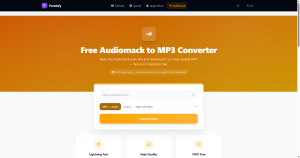
If you want to safely Convert Audiomack to MP3 without the risk of downloading software that might contain malware into your device, a cloud-based utility like Pondofy is the ultimate solution for saving clean files into your local storage. The entire process takes less than a minute and works perfectly on mobile phone, tablet and desktop browsers. Here is exactly how to build your local archive:
- Locate the Track URL: Go to Audiomack, find the particular audio file you wish to preserve and save its web address from your browsers address bar or the Share menu.
- Open the Tool: Open a new tab in your browser and go to Pondofy
- Insert the Link: Right-click and paste the saved link in the appropriate field on the websites page.
- Choose Your Bitrate: Set the desired sound quality, for instance – 320kbps.
- Convert & Store: Push the primary button on the page to start the conversion process. When the program finishes its work, you will be able to download the result in an mp3 file to your computer or phones memory.
By using this simple trick, you will always have an opportunity to store your beloved songs offline and protect them from being deleted or blocked due to connection issues.
Discussion